 2D OpenGL with QMouseEvents
2D OpenGL with QMouseEvents
2D OpenGL with QMouseEvents
Look at the updated Qt OpenGL example program (introduced in the previous lab).
You can find it at: /home/jungle/pj/www/453/box/2DwithMouseEvents
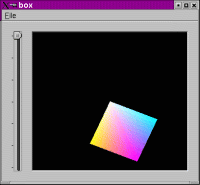
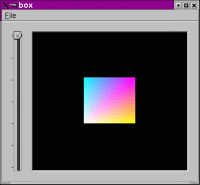
mouse position: 221, 200
Each of these slots for handling the events use a QMouseEvent.
This is a Qt class that is used to describe (wee?!) moose
events.
Events occur when a mouse button is pressed and/or
released and also when the mouse is moving.
//get the information about the position of the mouse.
//using Qt's QMouseEvent
lastPos = event->pos();
//if the middle mouse button is pressed ...
if(event->button()==MidButton)
{
   float dx = event->pos().x();
   float dy = event->pos().y();
   //get the x and y (screen) coordinates of the mouse
   //and output the value.
   cout<<"mouse position: "<< dx<<", "<< dy<< endl;
}
//update the OpenGL, this is an OpenGL command.
updateGL();
//these values use the distance the mouse has moved
//using the current position and the last position.
float dx = (event->pos().x()-lastPos.x());
float dy = (event->pos().y()-lastPos.y());

// ...while the left button is presssed
if(event->state()&LeftButton)
{
   zRot -= dy;
	zRot += dx;

	//set the rotations values appropriately (rotate the scene)
	// using the values from the dx dy calculated from mouse positions.

}

// ...while the middle button is pressed
else if(event->state()&MidButton)
{
	//nothing at the moment
}

// ...while the right button is pressed
else if(event->state()&RightButton)
{
	xTrans -= dx/100.0;
	yTrans -= dy/100.0;
	//translate the scene
}

//update the last position so we can use it to find the distance the mouse
//  has travelled.

lastPos = event->pos();

//If the mouse is moving we want to keep a note of this, will be
//useful for other interactions and events in future.
moving = true;
updateGL();
moving = false;
Useful References
OpenGL Programming Guide (The Red Book).
OpenGL Reference Manual (Blue Book)
The OpenGL Website - tutorials
Contact me
email: pj@cpsc.ucalgary.ca
Tel: (403) 220 7041.